Actually finish what you read.

Kura shows any article one line at a time — the rest of the page stays faded until you get there — and, when you want, a natural voice made on your iPhone reads it to you, lighting every word as it says it.

  • One line at a time. Momentum, not willpower.
  • A natural, AI-generated English voice, made entirely on your iPhone — never in the cloud.
  • Drop in a link, share a page from Safari, paste the text, or photograph a printed page.
  • Reading is free. Pro is one purchase — no subscription, no account.
Coming soon to the App Store iPhone · iOS 18 or later

Live from the reader — the voice walking a piece, word by word.

01The mechanic

One line at a time. The rest can wait.

A long read fails at the moment you see the whole wall of it. Kura never shows the wall. The line you're on is dark; the rest of the page stays faded below, present but quiet. Tap, and the next line arrives. That's the entire deal — and twenty minutes later the essay is somehow behind you. Momentum does the work discipline was failing to do.
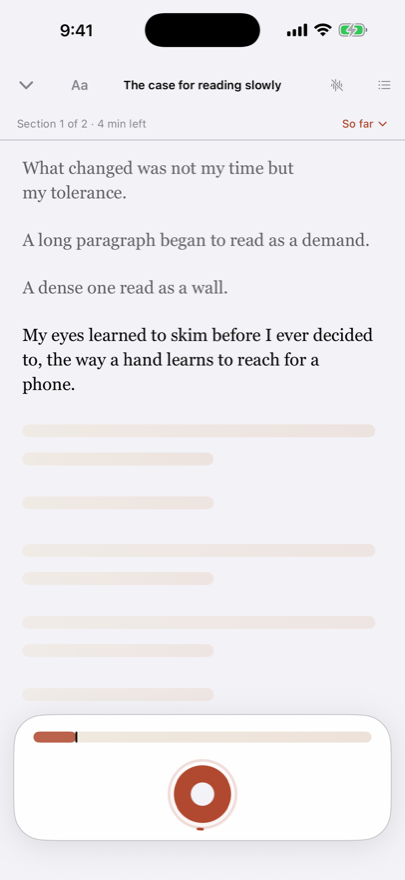
The Kura reader mid-article: three read lines in fading ink above the bold current line, with the rest of the piece veiled as quiet bars below.
02The voice

Sounds like a person.

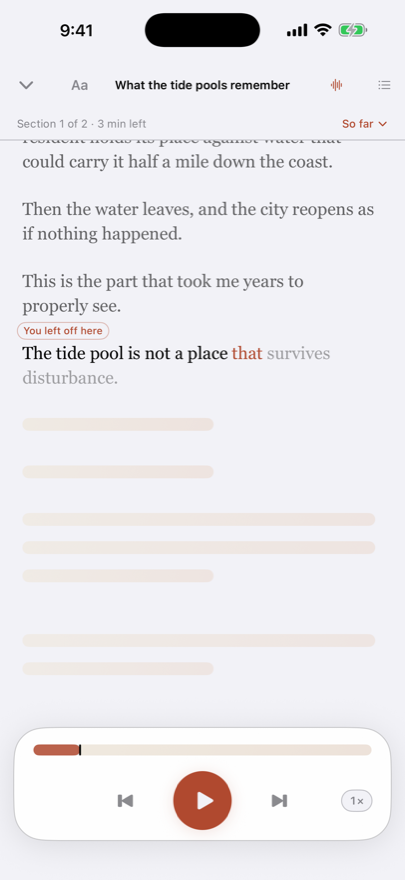
Audio mode: the current line lighting word by word as the voice reads, with the transport bar below.

Kura's voice is a natural, AI-generated English voice, made entirely on your iPhone, line by line, as you listen. Every word lights as it's said, like a finger under the line. Speed it up and it still sounds like a person. Kura reads while it's open, and carries on from the same line when you come back. There is no server doing the reading — which is why it works in airplane mode, why it costs nothing per hour, and why what you read stays on your phone.

03The intake

Everything you meant to read, in one calm stack.

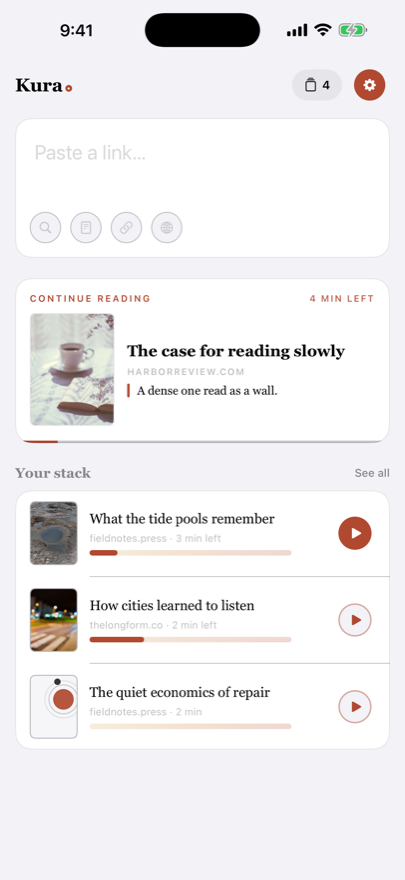
Drop in a link, share a page from Safari, paste the text (out of a PDF, an email, anywhere), or photograph a printed page and let the scan come out clean. Widgets hold your place, and any line can be shared as a card or a short looping vertical video. The pieces wait in a quiet stack with honest time-left labels — no badge counts, no guilt mechanics, no streaks. A reading app should feel like a shelf, not a to-do list.

Kura's home screen: a capture field with search, paste, link and translate above the reading stack above the reading stack with cover photos and progress bars.
04The return

Leaving isn't quitting. Come back mid-thought.

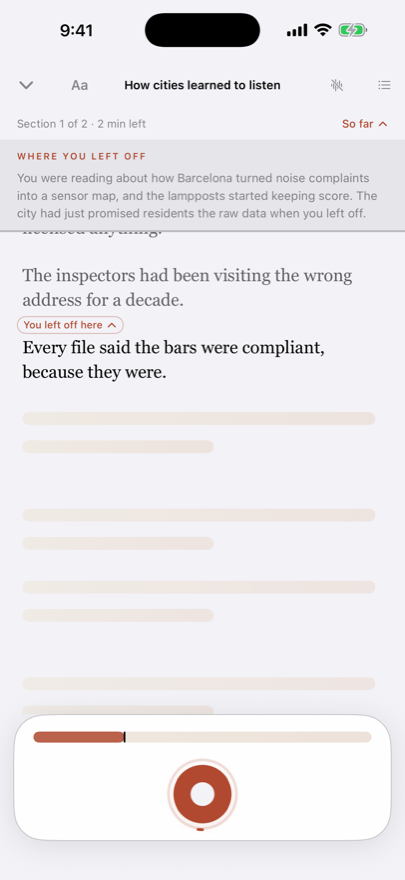
Returning to a half-read article: a 'Where you left off' catch-up card above the exact line the reader stopped on.

Come back days later and your place is kept — and on a long piece a short "So far" catch-up, written on your iPhone by Apple Intelligence, reminds you what you'd read. It reads like a friend reminding you where you were, not an abstract. (Apple Intelligence needs an iPhone 15 Pro or later on iOS 26.) Re-entry stops costing more than the reading.

05Kura Pro

Any line said plainer, and the voice on every article.

Pro

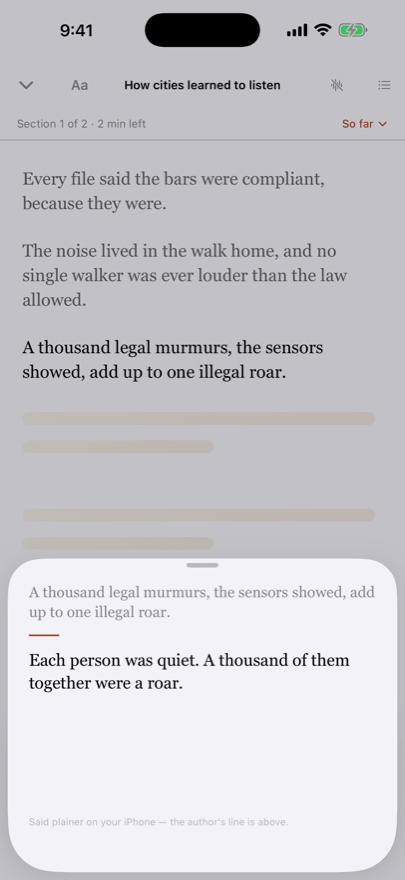
Hold a dense line and see it said plainer — the author's line stays put, the plainer one appears beneath, written on your iPhone by Apple Intelligence. Pro also unlocks the voice on every article, notes on highlights, a second voice, larger widgets, and Markdown export. One purchase, no subscription, nothing expires. Everything in Pro is yours for good.

The plainer sheet: the author's line at the top and the plainer version beneath, with the note 'Said plainer on your iPhone — the author's line is above.'
Privacy

Nothing you read leaves your phone.

This isn't a policy promise that could change — it's how the app is built. There is no server to send anything to.

The voice is local
Speech is made on your iPhone by an AI voice model that ships inside the app. Your articles are never uploaded to be read aloud; no audio is made in the cloud.
The intelligence is local
The "So far" catch-up, plainer lines, and the finishing gist are written on your iPhone by Apple Intelligence (iPhone 15 Pro or later on iOS 26). On other iPhones they simply don't appear; nothing is sent anywhere instead.
No account, no tracking
There is nothing to sign into and no analytics riding along. Your library is a file on your phone — and Settings can export it, restore it on a new iPhone, or delete all of it.
Kura

For everyone with a graveyard of open tabs and every intention of reading them.

Coming soon to the App Store
iPhone · iOS 18 or later · Apple Intelligence features need an iPhone 15 Pro or later on iOS 26 with Apple Intelligence on